Cabinet - Capture The Moment1.2.2
Publisher Description


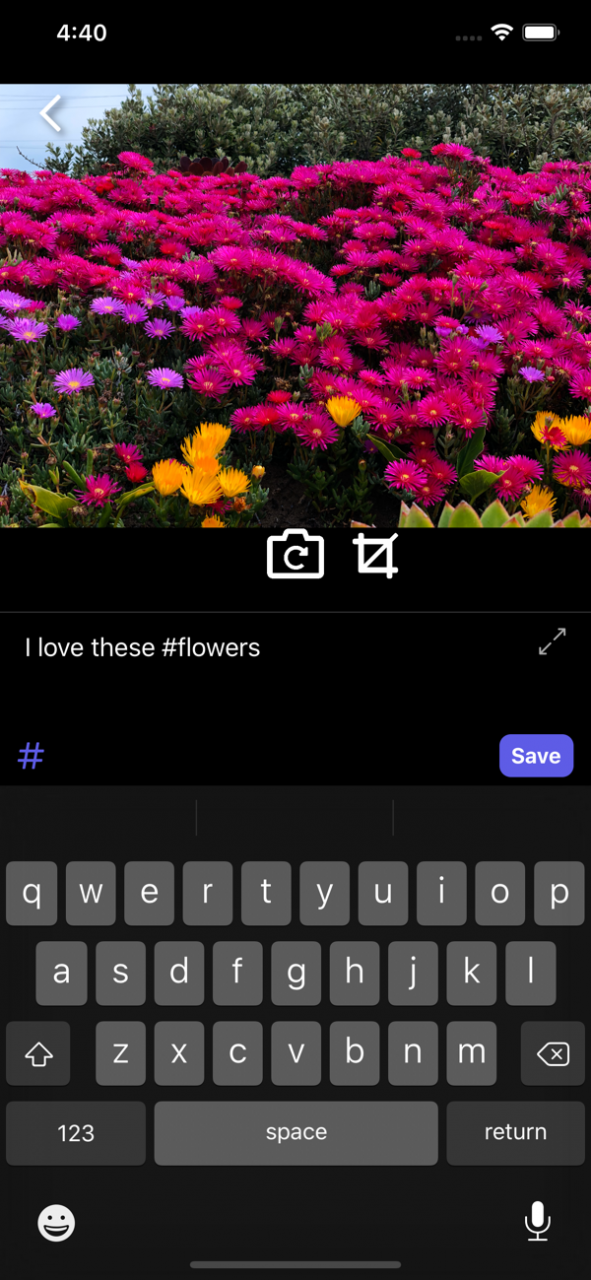
This is Cabinet, an app that will help you remember important moments from your daily life. You can snap photos or write quick notes for yourself of what you want to remember and organize them using hashtags. If you have thought that other notetaking apps are too complicated then this is for you.
Cabinet keeps it simple and quick, like an Instagram for notes. Scroll through the feed of your pictures and notes visually. Search text or filter your hashtags to find exactly what you are looking for. And your data is stored on your device and accessible offline, for privacy and convenience.
WHAT YOU CAN DO
- TAKE QUICK NOTES: Cabinet lets you jot down information very quickly. Just swipe left from the main feed and you can snap a picture or jot down a note. Or use Siri to dictate. That’s it! No folders, or housekeeping to worry about.
- KEEP IT VISUAL: A picture is worth 1000 words. Whether it’s a screenshot of an important conversation, a picture of a restaurant you want to visit, or a snapshot of a great quote in a book, photos capture much more context than what you can put in words.
- FIND WHAT YOU WANT: All of your data is indexed and searchable, and you can conveniently view recently used hashtags. Sift through all of your past information with ease.
- USE IT OFFLINE: Don’t worry about waiting for data to load or finding what you need when there is no internet connection. It’s all there on your device.
WHAT DO USERS THINK?
Cabinet is so fuss-free to use! It's like a bento box for my daily notetaking and journaling. Who knew simple hashtags could be such a great organisation tool? Most life-changing app I've used in 2018. - Nicole, Entrepreneur in Singapore
Cabinet filters my stream of consciousness to capture, store, and organize various aspects of my life on the go. Having Cabinet in my phone gives me the security that I'll never again forget that one great idea, precious memory, or random place I stored my backup set of keys! - Andrew, Consultant in Boston
I love the concept of Cabinet and its ease of use. I use it to record my workouts and look up my progress. It’s perfect for “on the go” notes! - Catherine, Sports Enthusiast in Boston
As a devout academic scholar, I'm always looking for better ways to take notes. Apple Notes was the best and most UX friendly app until Cabiet came along. With Cabinet, I'm able to take pictures of textbook pages, slides, etc. and then add my own notes to it. It's perfect for all students of all levels. - Brian, Medical Student in LA
LANGUAGE SUPPORT
Cabinet supports the following languages:
English
Chinese (Traditional)
Chinese (Simplifed)
Japanese
Korean
Russian
Dutch
Sep 28, 2019 Version 1.2.2
Bug Fix: When not in dark mode, inserted hashtags did not appear visible on the note input screen
About Cabinet - Capture The Moment
The company that develops Cabinet - Capture The Moment is Cabinet Industries, LLC. The latest version released by its developer is 1.2.2.
To install Cabinet - Capture The Moment on your iOS device, just click the green Continue To App button above to start the installation process. The app is listed on our website since 2019-09-28 and was downloaded 3 times. We have already checked if the download link is safe, however for your own protection we recommend that you scan the downloaded app with your antivirus. Your antivirus may detect the Cabinet - Capture The Moment as malware if the download link is broken.
How to install Cabinet - Capture The Moment on your iOS device:
- Click on the Continue To App button on our website. This will redirect you to the App Store.
- Once the Cabinet - Capture The Moment is shown in the iTunes listing of your iOS device, you can start its download and installation. Tap on the GET button to the right of the app to start downloading it.
- If you are not logged-in the iOS appstore app, you'll be prompted for your your Apple ID and/or password.
- After Cabinet - Capture The Moment is downloaded, you'll see an INSTALL button to the right. Tap on it to start the actual installation of the iOS app.
- Once installation is finished you can tap on the OPEN button to start it. Its icon will also be added to your device home screen.
Program Details
System requirements
Download information
Pricing
Version History
version 1.2.2
posted on 2019-09-28
Sep 28, 2019 Version 1.2.2
Bug Fix: When not in dark mode, inserted hashtags did not appear visible on the note input screen
